




We Are Actively Looking to Buy Laptop RAM
1] Visit a PayMore Store
Bring your SODIMM modules to a certified PayMore Store near you, either on their own or still inside the laptop they came out of. Within minutes, you could walk out with cash in hand. No appointments, no shipping, no meeting strangers.
2] We’ll Pay You Cash
Our tech experts will evaluate your modules on the spot, confirming capacity, generation, and speed and checking that each one posts. It takes minutes, and you’re standing there while it happens.
3] We’ll Handle the Rest
Accept our offer, and you’re done. Your memory goes into a repair, or an upgrade for someone else’s machine, and anything that can’t be reused is responsibly recycled through our eco-friendly program at no cost to you.
The Best Place to Buy and Sell Laptop RAM
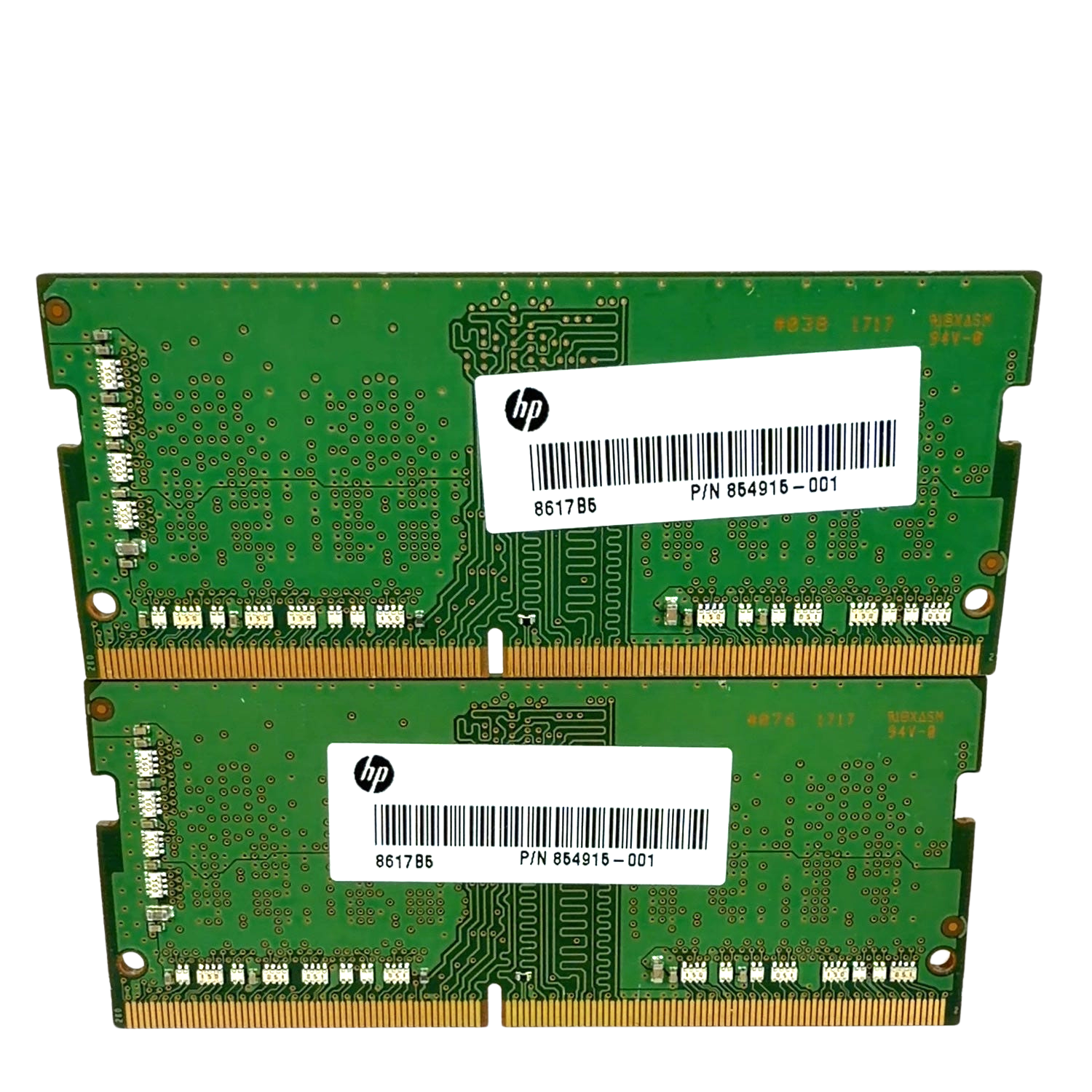
Laptop memory is the most commonly orphaned computer part. You buy a 32GB kit, you pull the 16GB the machine shipped with, and the original pair sits in a drawer for three years. Those modules still work, and there’s a steady repair and upgrade market that needs them, which is exactly why we pay for them. Laptop RAM uses the SODIMM form factor, with short modules roughly half the length of desktop ones: DDR5 SODIMMs have 262 pins, DDR4 has 260, and older DDR3 has 204. You don’t need to know which you have, because our technicians will identify it in seconds. One honest heads-up before you make the trip: many modern laptops have their memory soldered directly to the board, and every Apple Silicon MacBook uses unified memory built into the chip itself. If your machine has no removable sticks, there’s nothing to pull, but the trip still isn’t wasted, because we buy the whole laptop, and a working machine is worth considerably more than a pair of modules.
- DDR5 SODIMM modules, 4800MHz and faster
- DDR4 SODIMM modules, 2133MHz through high-speed kits
- DDR3 and DDR3L SODIMM modules from older machines
- Capacities from 2GB through 32GB per module
- Crucial, Kingston, Corsair, Samsung, SK Hynix, Micron, G.Skill, HyperX, Patriot, and ADATA
- Unbranded OEM pulls from Dell, HP, Lenovo, ASUS, Acer, MSI, and Intel-era MacBooks
- Matched pairs and single odd sticks alike
- Complete laptops, working or not
Capacity and generation drive the number more than anything else. A 16GB DDR5 SODIMM out of a recent machine is worth several times a 4GB DDR3 stick from a decade ago. Matched pairs price better than two singles, because they resell as a complete upgrade kit rather than as parts. Our pricing is updated daily to reflect current market rates, so the number you’re offered is the number that day.

Enjoy Peace of Mind
Expert Evaluation and Fair Pricing
At PayMore, we know laptop memory. We can tell a DDR4 SODIMM from a DDR5 at a glance; we know which OEM pulls are worth more than their unbranded appearance suggests, and we understand why a matched pair prices differently from two loose sticks. We test and assess every module against real market data. You get a fair price, not a guess, and if you’re not sure whether your laptop even has removable memory, we’ll check that for you free of charge.
Get The Most For Your Trade-In
To get the best price, keep matched pairs together rather than selling them one at a time, and bring any modules still sitting in machines you’re no longer using. If you're retiring the laptop, bring the whole thing; the screen, drive, and shell all still have value, even on a machine that no longer boots, and we’ll securely wipe the drive in your presence. You can also choose store credit instead of cash for even more purchasing power toward laptops, computer parts, and other electronics in our stores.
Buy. Sell. Trade. Recycle.
All Electronics Welcome


Get The Most For Your Trade-In
To get the best price, keep matched pairs together rather than selling them one at a time, and bring any modules still sitting in machines you’re no longer using. If you're retiring the laptop, bring the whole thing; the screen, drive, and shell all still have value, even on a machine that no longer boots, and we’ll securely wipe the drive in your presence. You can also choose store credit instead of cash for even more purchasing power toward laptops, computer parts, and other electronics in our stores.
Still Have Questions? Read our FAQs
Look for a memory access panel on the underside of the machine, or search your exact model along with “user upgradeable memory.” Most business laptops and gaming laptops have removable SODIMMs. Thin ultrabooks increasingly don’t, and no Apple Silicon MacBook does; that memory is part of the processor package. If you’re unsure, bring the laptop in, and we’ll tell you in about a minute at no charge.
Single sticks are absolutely fine. A matched pair is worth a little more per module because it resells as a finished upgrade kit, but there’s no minimum, and we’ll happily buy one module.
Yes. A dead motherboard has nothing to do with whether the memory works, and we test the sticks independently. Bring the whole laptop as well, broken machines still carry real value in their screens, drives, batteries, and shells, and it’s usually the better number.
On Intel-era MacBooks with removable memory, yes. Apple Silicon MacBooks use unified memory built into the chip, so there’s nothing to remove. We do buy the MacBook itself, and those hold their value well; see our MacBook page, or just bring it in.
No. Laptop memory is the shorter SODIMM format and won’t physically fit a desktop slot, and full-size desktop DIMMs won’t fit a laptop. We buy both, and if you turn up with a mixed bag, we’ll sort it at the counter.
- Top Value: We pride ourselves on offering top dollar for laptop memory, often matching or beating offers from reputable competitors.
- Free Compatibility Checks: Not sure if your laptop’s memory is removable? We’ll check it for you at no charge.
- Instant Cash Payment: Cash on the spot, the same visit. No shipping, no payment holds, no waiting.
- Tech Expertise: Our team identifies and tests every module properly instead of pricing a pile by eye.
- Licensed Operations: We adhere strictly to legal standards, ensuring all transactions are legitimate and secure.
- Convenient Locations: Our stores are safe, clean, and easy to reach. Use our store locator to find one near you.
Choose PayMore for a trusted and rewarding trade-in experience. Visit a store near you today!
To conduct a cash transaction at our store, you are required to:
- Be at least 18 years of age or older.
- Provide a valid, physical state- or government-issued photo ID.
These requirements ensure the integrity of our transactions and comply with all relevant legal regulations. If you have questions or need further assistance, please contact your local store.
Phones. Tablets. Old School Gameboys.
We Buy a Wide Range of Electronics
Discover all the great tech that you can sell for cash or pick up at your friendly neighborhood PayMore. Whether you’re trying to sell your old electronics or looking for a great deal on a pre-owned device, everyone walks away from PayMore with a smile on their face.


